HCAPPYour business workspace
RUWhatsApp
AI-powered software for transport companies

Your whole company
in one system.
And one conversation.

Orders, trips, CMRs, handover records, invoices, expenses and vehicle history live in HCAPP. Ask ChatGPT a question and get an answer based on your company’s data.

Built by a transport company for its own fleet. We handle setup and connections to your GPS, accounting software and ChatGPT.

Owner workspace

The whole business.
In one place.

Documents, finances and every vehicle’s history live in HCAPP. View dashboards or simply ask — ChatGPT answers using your company’s data.

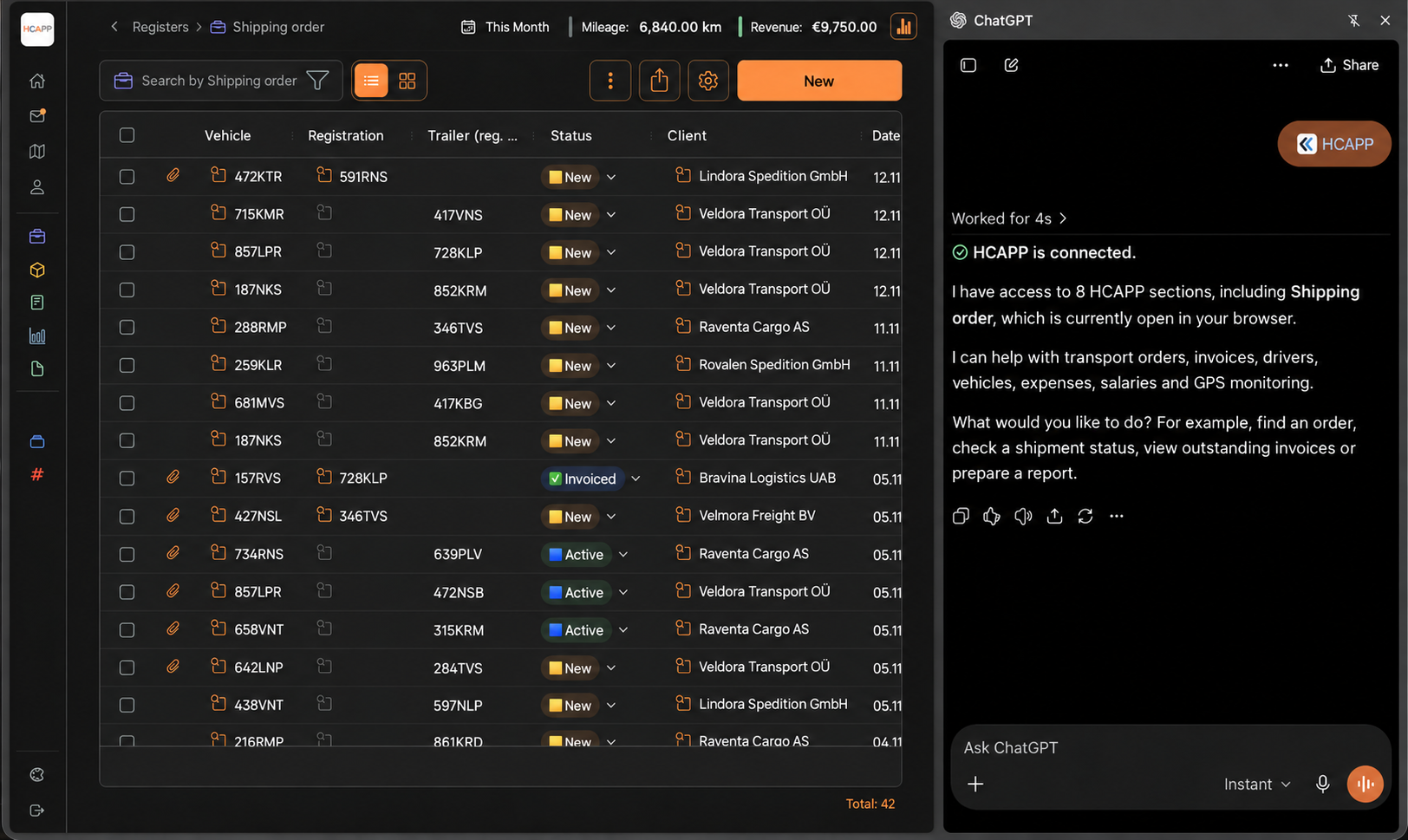
  • Ask ChatGPTWhere is the vehicle? How much did we earn? Who drove the most? Which invoices are overdue? Open related orders and documents from the answer.
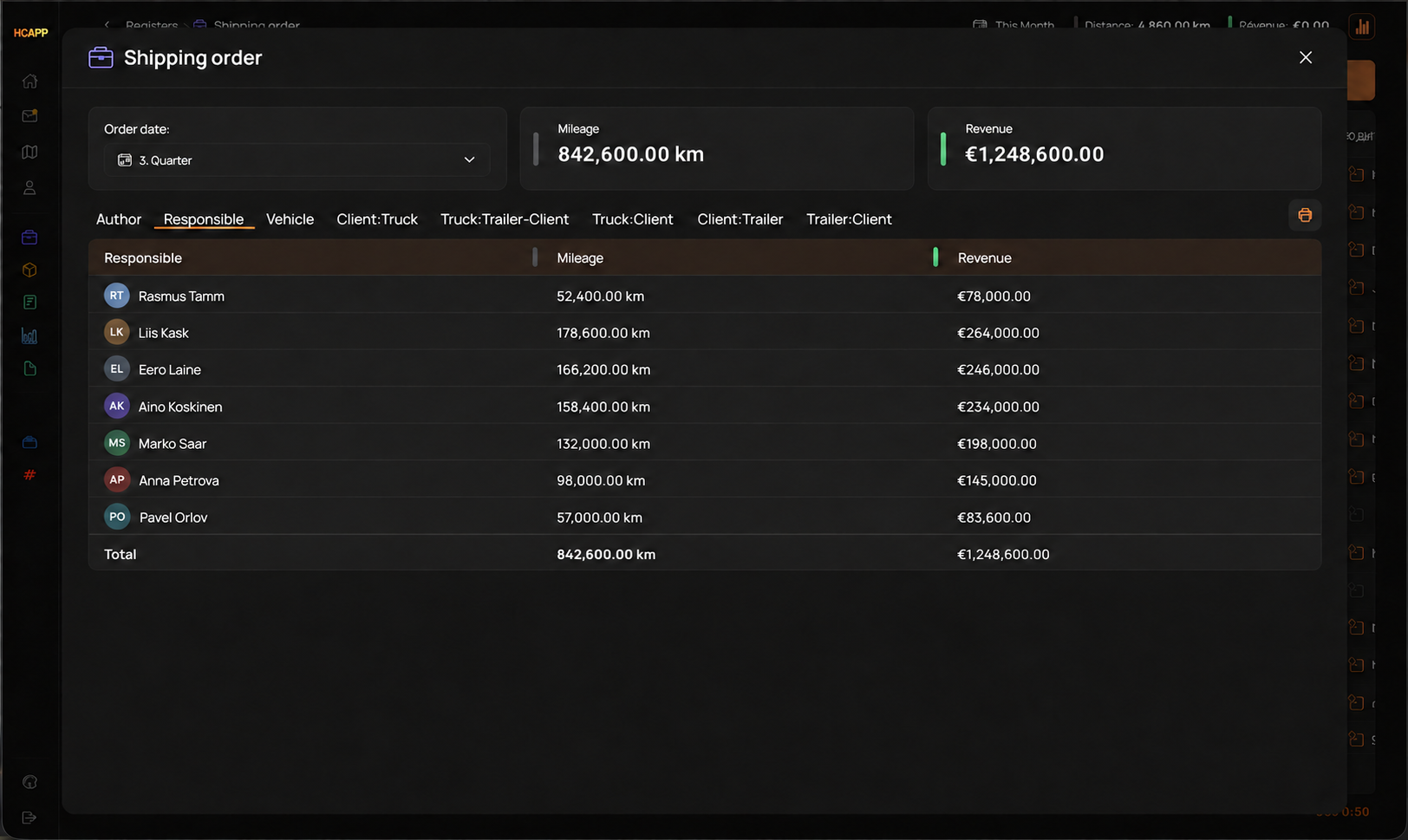
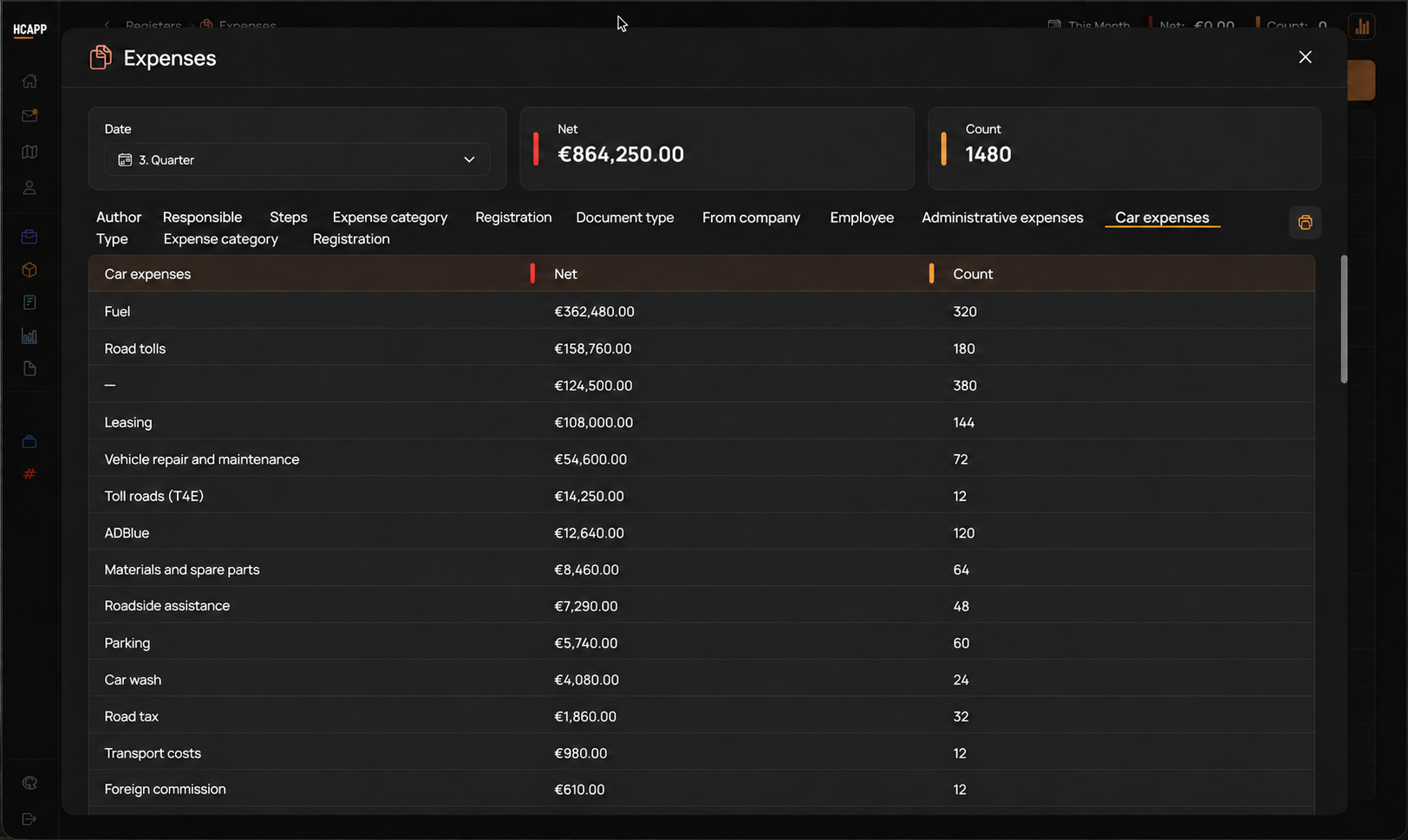
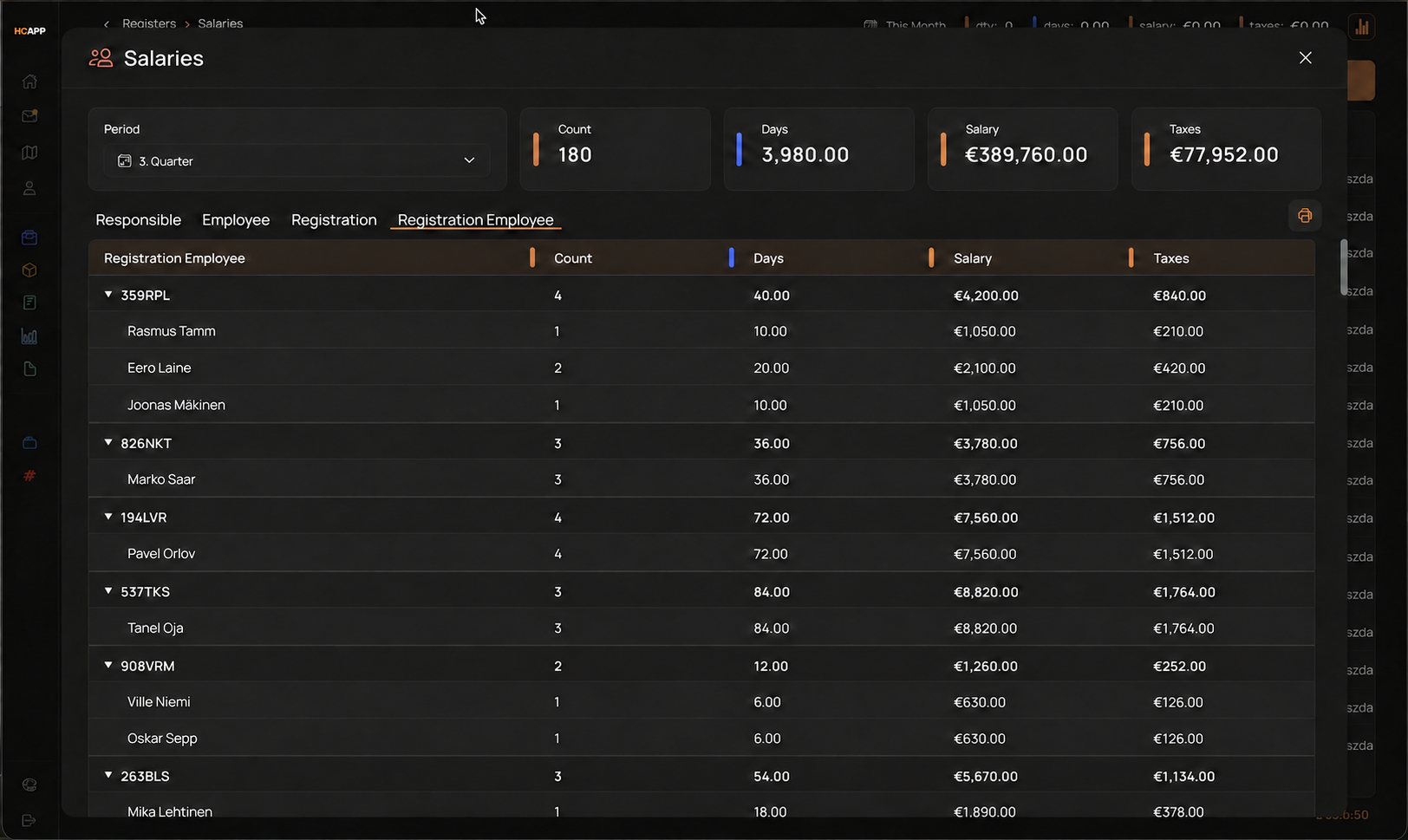
  • Dashboards and statisticsRevenue and expenses by vehicle, driver, client and route. From a single trip to the whole company.
  • Every document. The full history.CMRs, vehicle handover records, photos, invoices and contracts — in the trip or vehicle record, in chronological order.
  • Reconciliation and anomaliesUpload a bank statement: the system matches it against trip expenses and highlights discrepancies.
  • Briefings and remindersMorning updates, weekly summaries, inspection and tachograph deadlines, overdue invoices — in chat or by email.
Explore example conversations

ChatGPT connects to your company’s data. Access is limited to the people you authorise.

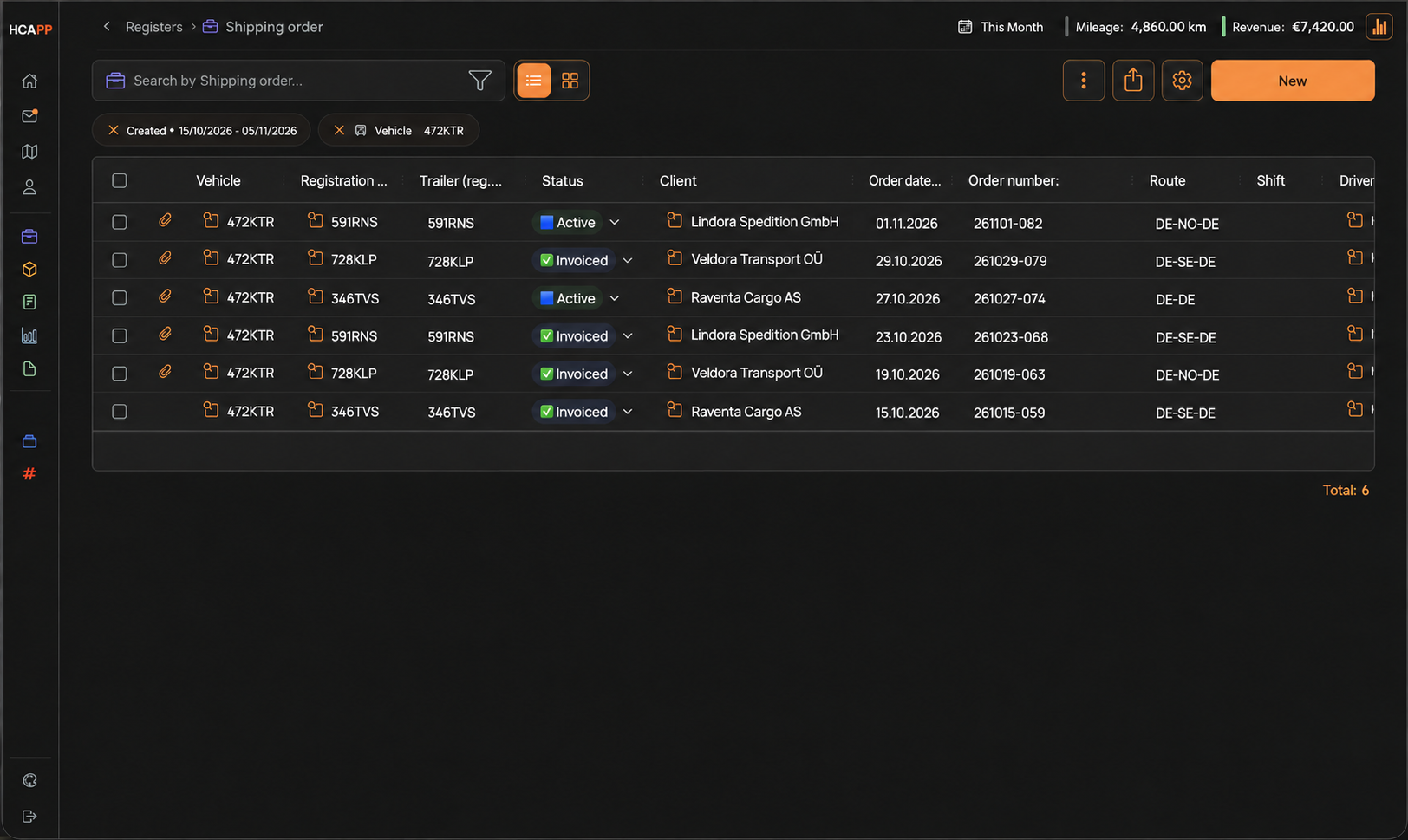
ChatGPT connected to HCAPP: chat panel beside the order register
ChatGPT connected to HCAPP data, open alongside the order register.
Dispatcher workspace

From the client’s request
to a completed trip.

Your fleet map, routes, orders, invoices and expenses — in one workspace.

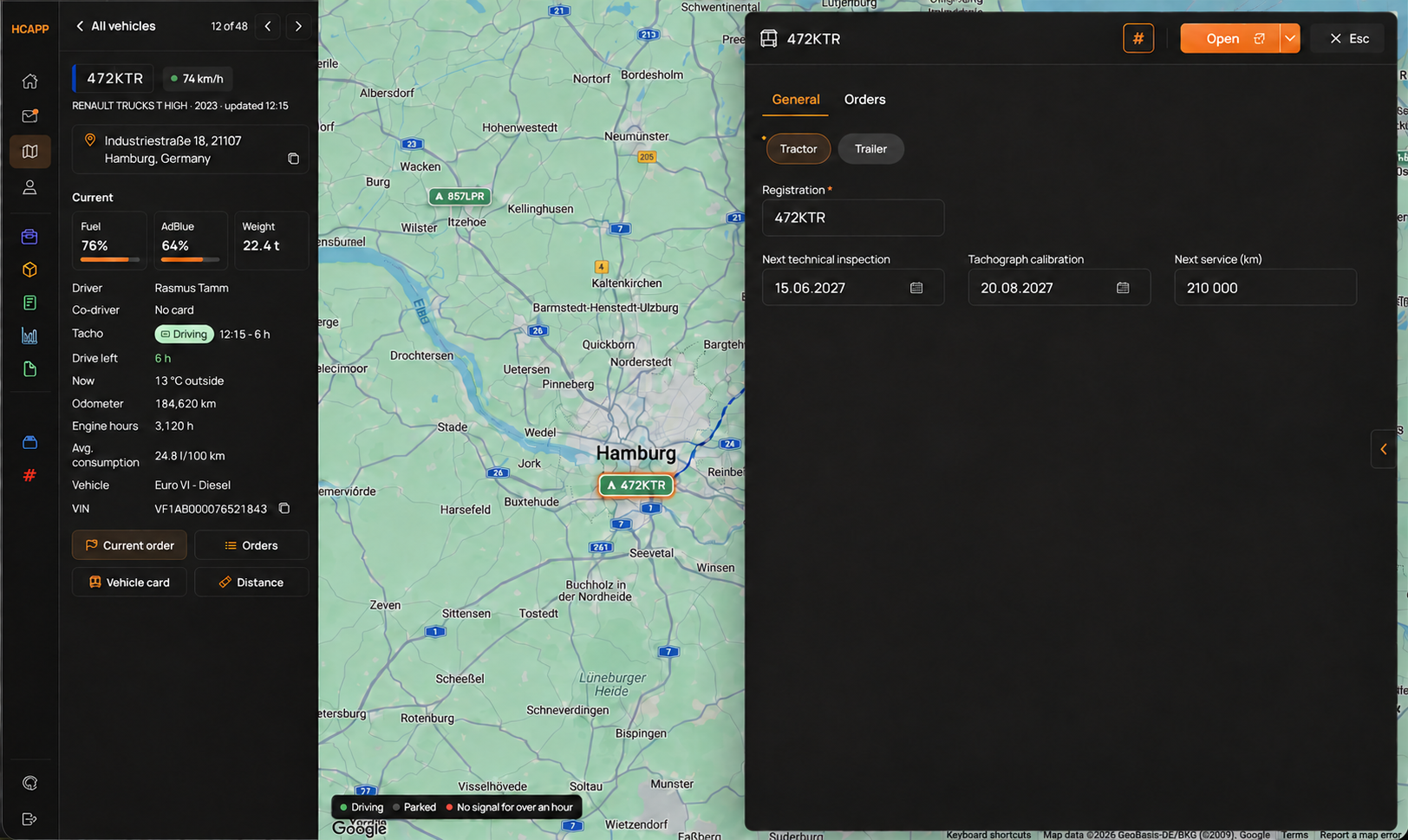
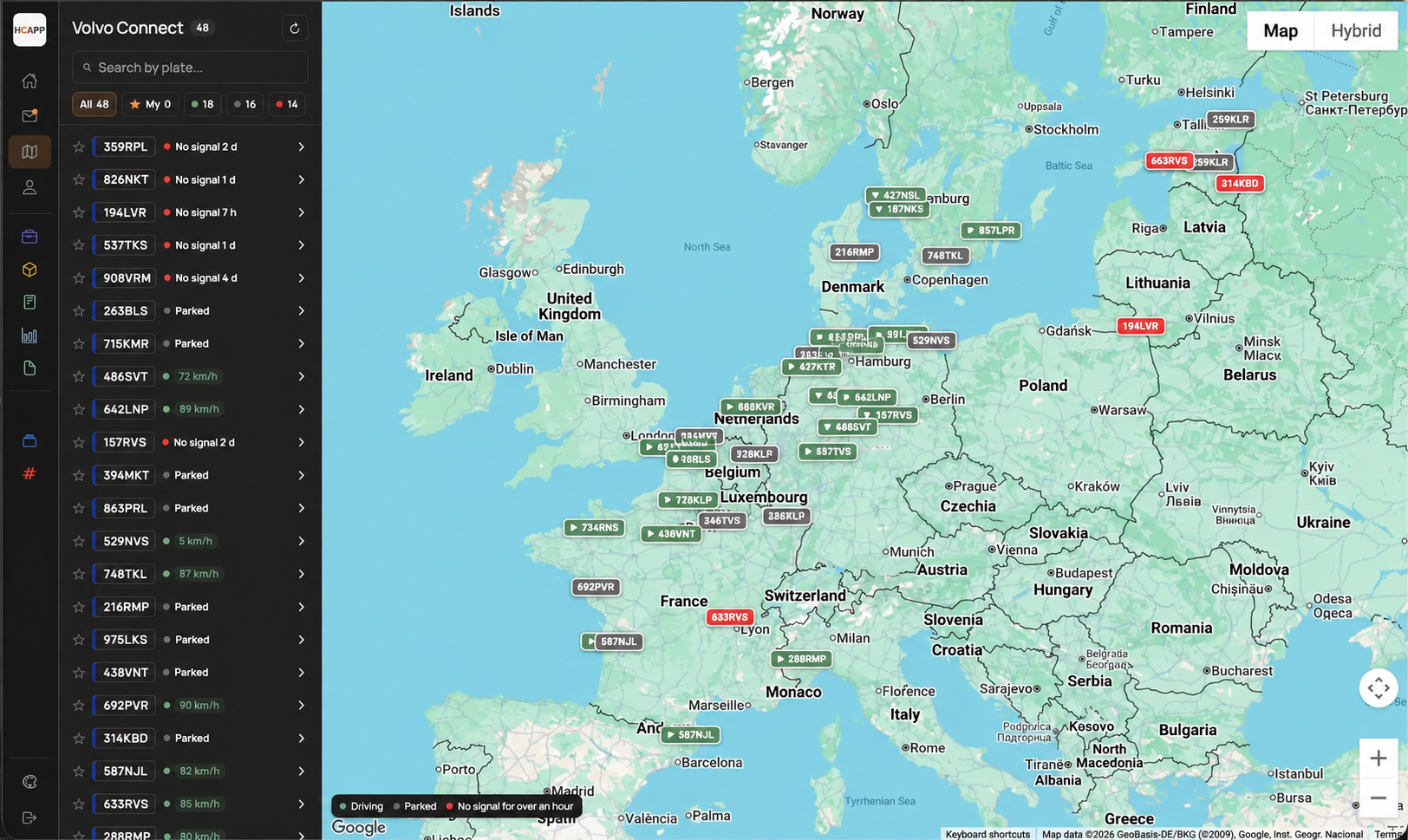
  • A map powered by your GPSWe connect Mapon, Fleet Vision, Volvo Connect or the service already fitted to your vehicles. Positions and statuses appear on the HCAPP map, linked to orders and vehicles.
  • AI fills in the orderForward the client’s request — an email, PDF or text. The system creates an order with addresses, dates, cargo and rate. Review it and assign a vehicle.
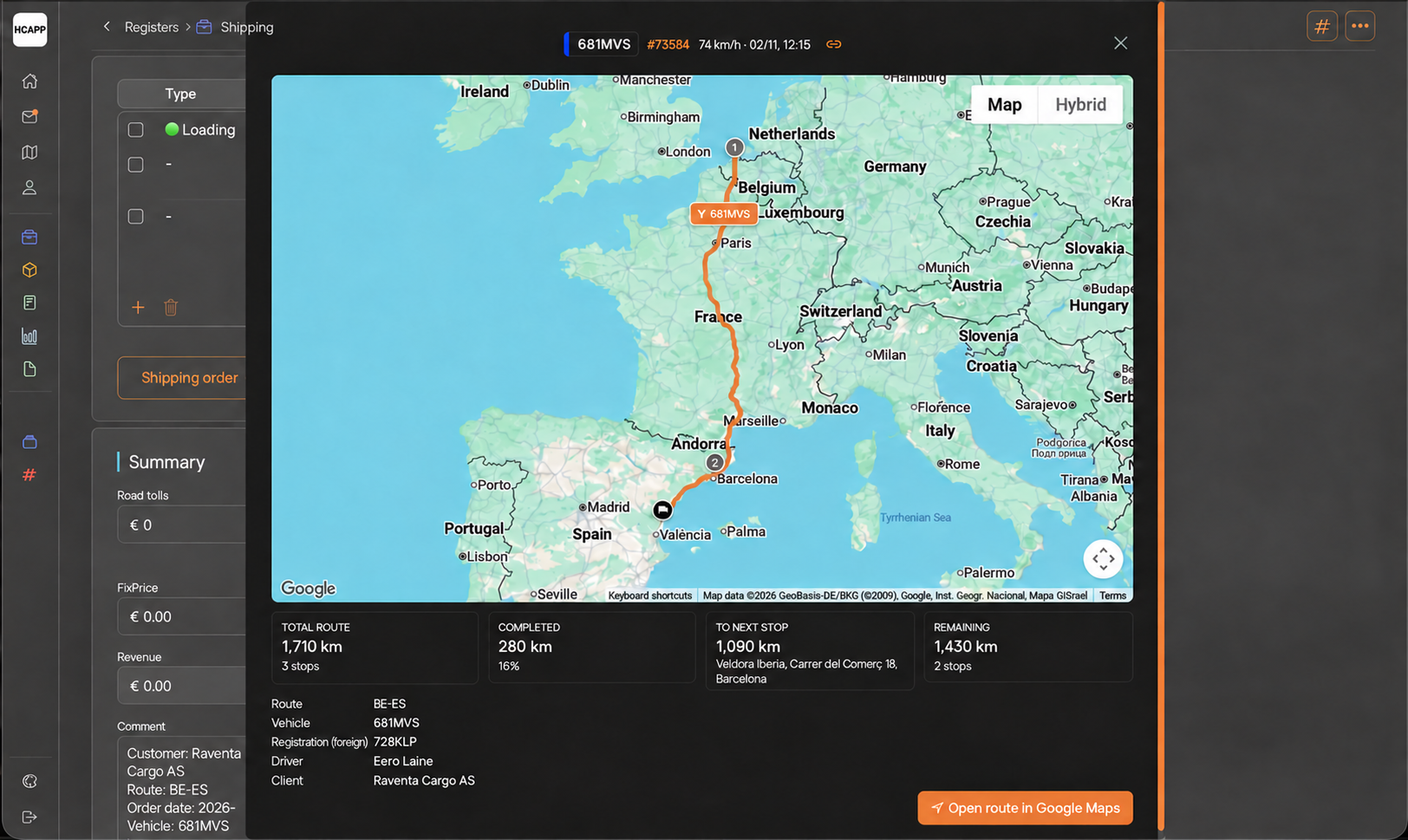
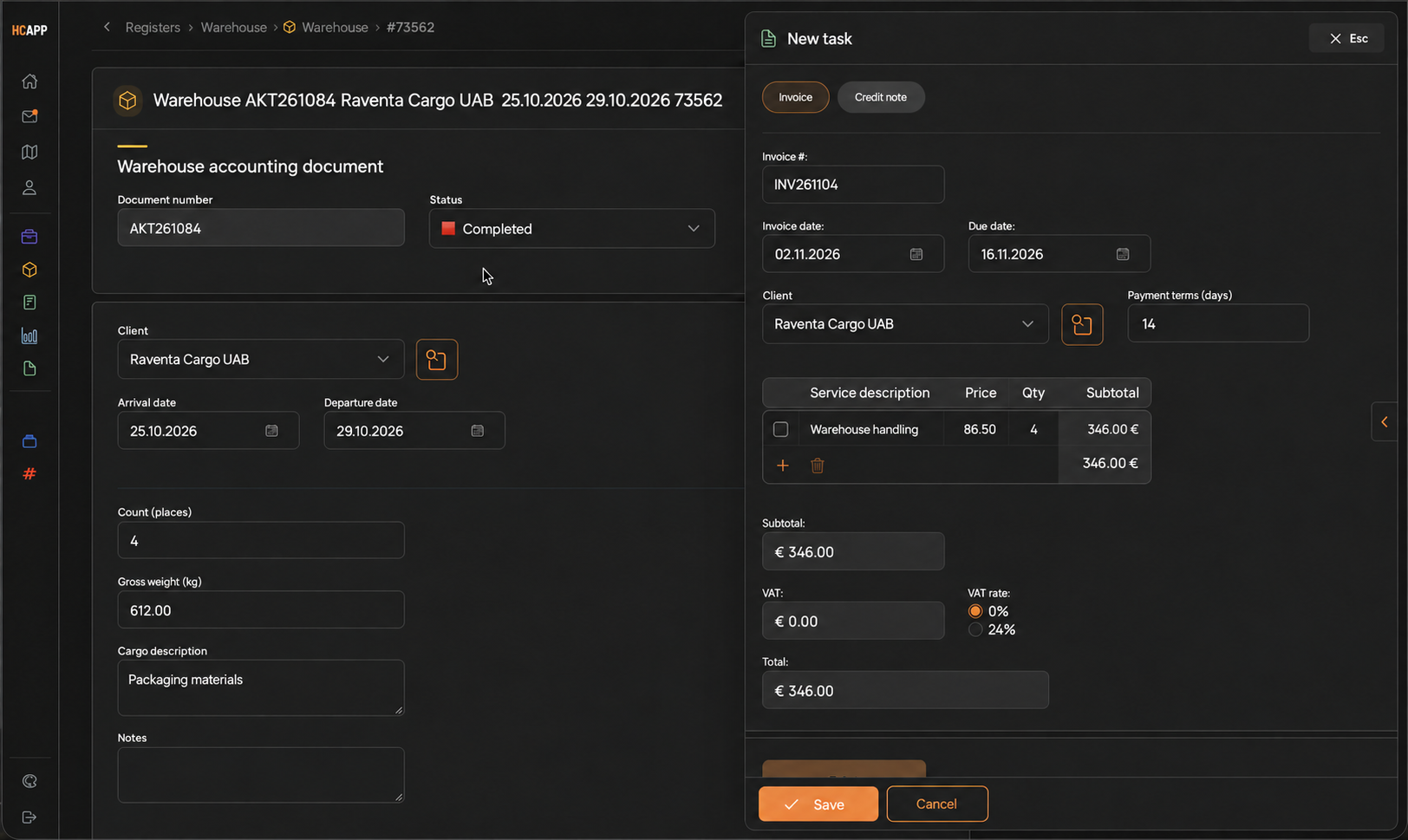
  • Route, invoice and expenses — from the orderStops, distance and estimated travel time. Issue the client’s invoice in one click. Dispatchers, accountants and drivers can attach expenses to a trip or vehicle.
  • RemindersDocument deadlines, tomorrow’s unloading, trips missing CMRs — the system sends reminders.

All trip data is connected: order, vehicle, driver, documents and finances.

Fleet map powered by Volvo Connect: 48 vehicles and movement statuses
48 vehicles on Volvo Connect data: driving, parked or without a signal.
Driver workspace

Part of the same system.
From a phone.

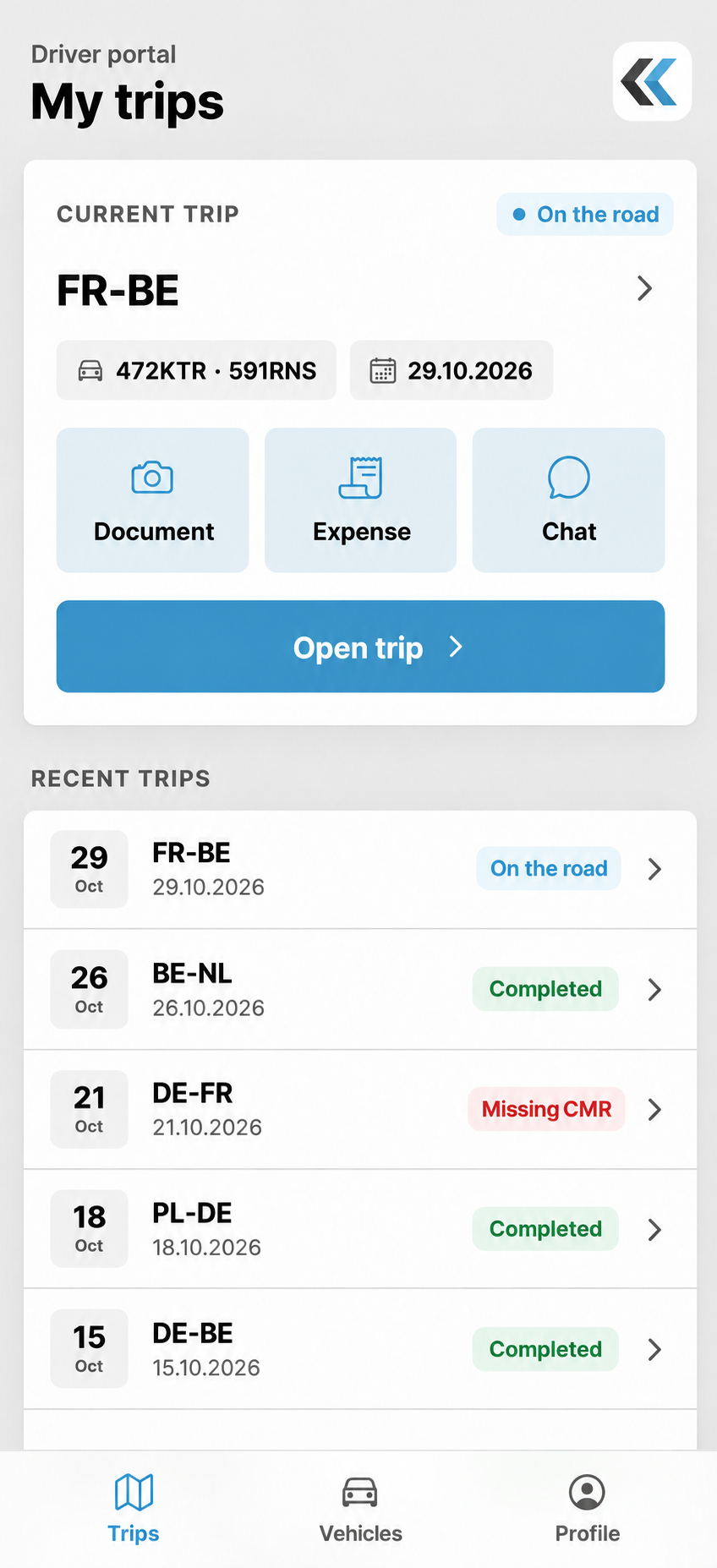
Drivers see their trip and vehicle. Photograph documents and receipts — they go straight to the dispatcher and accounting team.

  • Their own tripsCurrent trip, loading and unloading points, and history. Everything they need.
  • Documents attached to the tripCMRs, cargo and seal photos, delivery notes — straight to the trip record.
  • Receipt to expense registerPhotograph a fuel, parking or wash receipt — the expense is linked to the trip and appears in the register used by accounting.
  • Vehicle handoverCollection and return photos go into the vehicle history. Resolve damage queries in minutes.
  • Stay in touch with the officeTrip chat, inspection and tachograph reminders.

Drivers only see information relevant to their work.

Driver workspace: current trip, documents, expenses, chat and trip history
Current trip and history. Click to take a closer look.
Access pricing

Two prices.
No hidden modules.

€12.50 / workspace per month

Owner, dispatcher or accountant — any workspace with full access.

€2 / driver per month

Mobile driver workspace.

Prices are per user per month, plus VAT. Setup and integrations are quoted separately after we discuss your needs. Your ChatGPT subscription is paid directly by you.

Workspace · €12.50

  • Orders, trips, routes and a map powered by your GPS
  • Client invoices, expenses by trip and vehicle
  • All documents and vehicle history in one place
  • Dashboards, statistics and bank statement reconciliation
  • ChatGPT using company data, briefings and reminders

Driver · €2

  • Their trips: current, next and history
  • CMRs, photos and receipts attached to trips
  • Expenses straight to the accounting register
  • Vehicle collection and return photos in its history
  • Chat with the office within a trip
Implementation

The foundation is ready.
We tailor it to your operation.

Trips, expenses, invoices, drivers, vehicles and salaries are already in the system. We connect your GPS, accounting software and ChatGPT, then walk through one of your trips.

01

Understand your processes

How you manage trips, what the owner needs to see, and how dispatchers, accountants and drivers work. One meeting.

02

Connect your tools

Your GPS service via API, accounting exports and ChatGPT connected to company data. We agree the scope and timeline around your needs.

03

Walk through your trip

Follow the chain: order → trip → driver documents → expense → invoice → an answer for the owner in chat.

Common questions

Before you get started

Is this accounting software?

No. HCAPP manages operational data: trips, expenses, outgoing invoices and documents. Expenses are kept in a register that can be exported to your accounting software. We agree the format and transfer method around your process.

Which GPS services can be connected?

We have connected Mapon and Volvo Connect. Fleet Vision and other services with an open API can be integrated in the same way. HCAPP receives vehicle positions and statuses and links them to orders and vehicles. We check API access, available data and update frequency for your service.

What can ChatGPT answer?

Questions about data in the system: vehicle position and time to unloading, revenue and expenses for a period, mileage and performance by vehicle and driver, missing documents and overdue invoices. It also sends morning and weekly briefings. ChatGPT only sees your company’s data and the information the user is allowed to access.

Where do driver receipts go?

The driver photographs a receipt within a trip. The expense is linked to the trip and vehicle and appears in the expense register. Accounting reviews it there, without exchanging photos in messengers.

How quickly can we start?

The foundation is ready, so getting started takes weeks rather than months. The exact timeline depends on your integrations and processes — we will confirm it after the first meeting.

Can we have a custom report?

Yes. The system includes standard reports and dashboards; we can tailor a format to your metrics. Many questions are easier to ask ChatGPT — it builds the answer from the same data.

Next step

Let us show you how it works
for your transport company

Tell us about your fleet, GPS service and how you manage orders. We will demonstrate a similar workflow and explain what you need to get started.

WhatsAppEmail

Or email us directly: support@hcapp.ee

HCAPP / Transport company softwaresupport@hcapp.ee · hcapp.ee

Screenshot preview

Contact HCAPP

Let’s discuss your needs

Tell us about your transport company. We will get in touch and show you a relevant workflow.

HCAPP · Transport order

Order No. 261104-082

● In progress
Vehicle
472KTR
Driver
Rasmus Tamm
Client
Lindora Spedition GmbH
Route
Lübeck → Hamburg
Unloading date
12 November 2026
Documents
CMR · booking · handover record

Example record with fictional data. In the connected system, ChatGPT answers link to the related order.